
Selling units from a floor plan, without a portal
A buyer looking at a development wants to see the building and click the flat. What most sites give them is a PDF of the plan and a contact form, which means the site knows nothing about which unit they were interested in and the enquiry arrives saying “I liked the one on the third floor”.
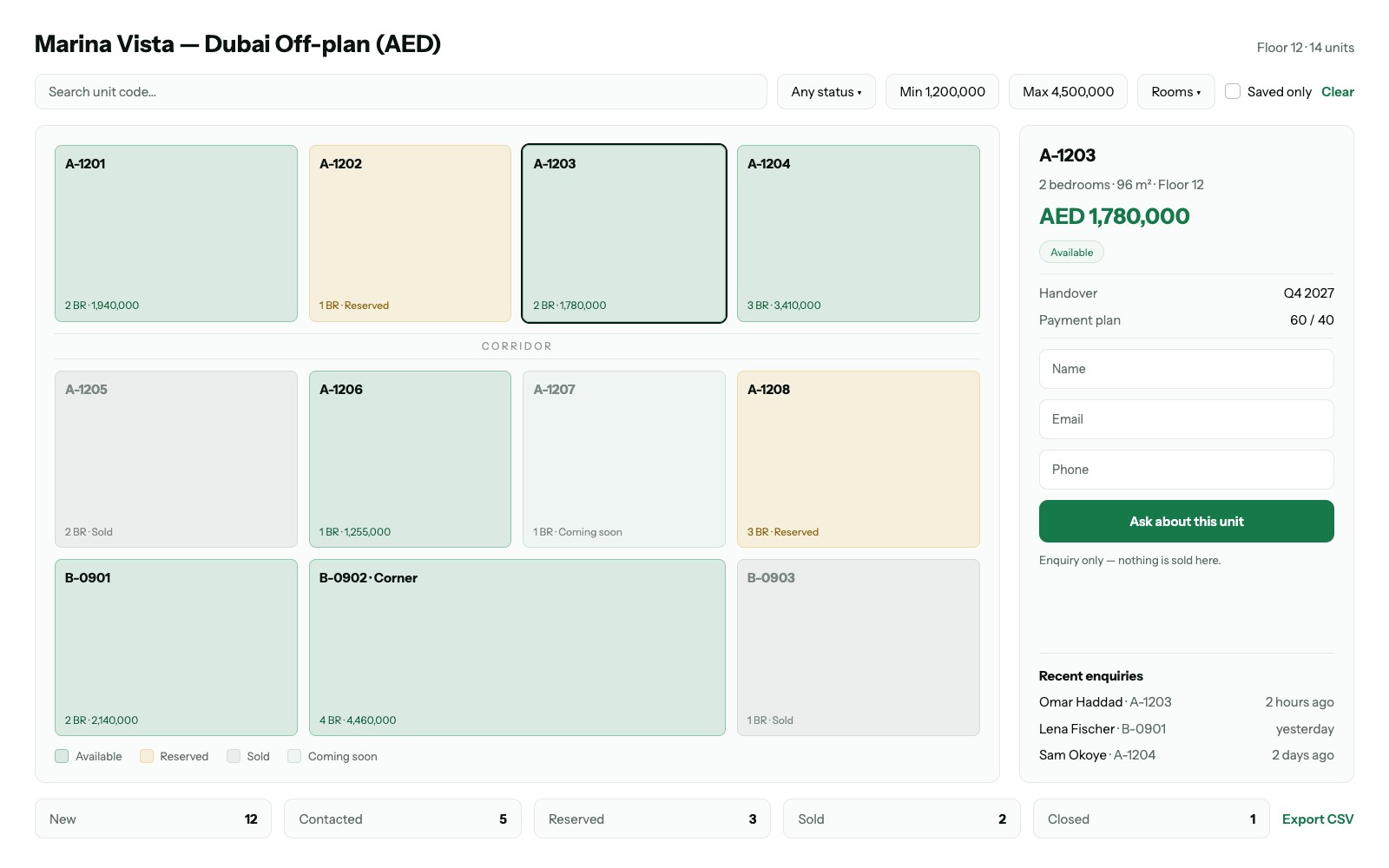
The PDF is where the enquiry goes to die
A plan as an image or a PDF cannot carry state. It cannot show that unit 3B went yesterday, it cannot tell you which unit somebody was looking at when they filled in the form, and it has to be re-exported by whoever made it every time something sells. So it is always slightly out of date, and the enquiries it produces need a phone call to make sense of.
Three states, and who is allowed to change them
Available, reserved, sold. The interesting one is reserved, because it is the state that expires: a unit held for a buyer who has not signed should come back to the plan on its own rather than waiting for somebody to remember. Whoever runs the sales office needs to change these from a list, not by editing a drawing.
The enquiry should know what it is about
When somebody asks about a unit, the message should already contain the unit — its number, floor, size and price as shown at that moment. That single detail is the difference between a lead you can follow up and a lead you have to interview.